Use the presentations, documents, and reports your team already relies on. Connect directly to Google Slides, Google Docs, Microsoft Powerpoint, and more.
Use Your Data As-Is
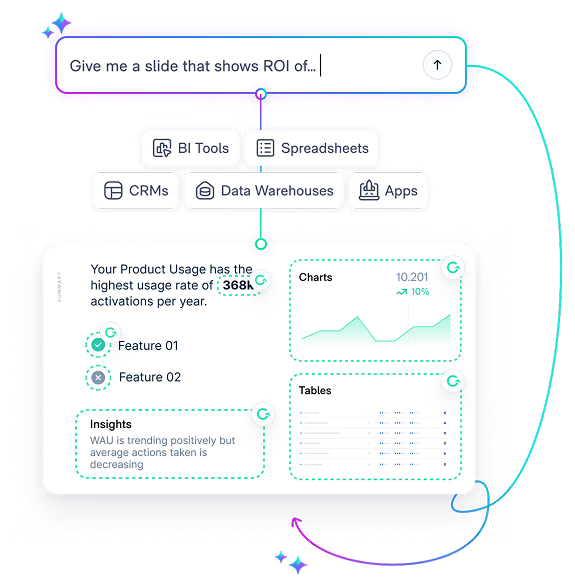
Pull directly from your existing dashboards, reports, and data in your BI, CRM, data warehouse and other sources. No need to recreate or restructure your data, simply connect your sources and begin automating.
Faster Setup, Less Maintenance
Matik queries data rather than ingesting it, so setup is faster and maintenance is minimal. Simply connect to a data source once, and use the data across all your templates.
From Setup to Scale in Weeks
01
Get Started
Connect your data sources and templates for the content you want to automate.
02
Bring Templates to Life
Define the specific data and metrics you want to pull into your content.
03
Share & Scale
Apply tags to your templates to turn static elements into dynamic, data-driven stories.
“It’s pretty quick to build new templates now that we have a lot of that data we use set up in Matik. Onboarding a new template takes just a day, versus a week or two with our old tool.”
Sara Bonanno
Sr Revenue Operations Specialist at Zapier
Matik’s AI helps teams get started faster
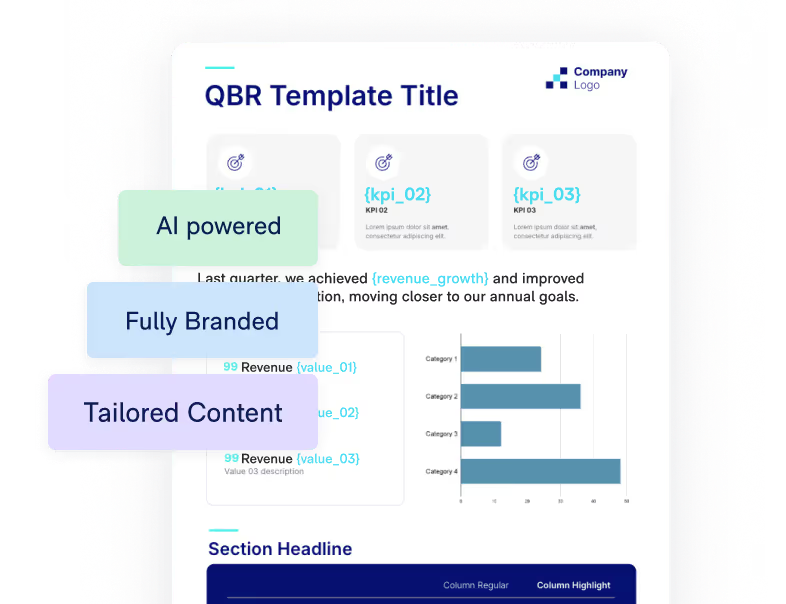
Automatically Generated, Fully Branded Templates
Scans your company’s website and creates fully-branded templates with suggested metrics
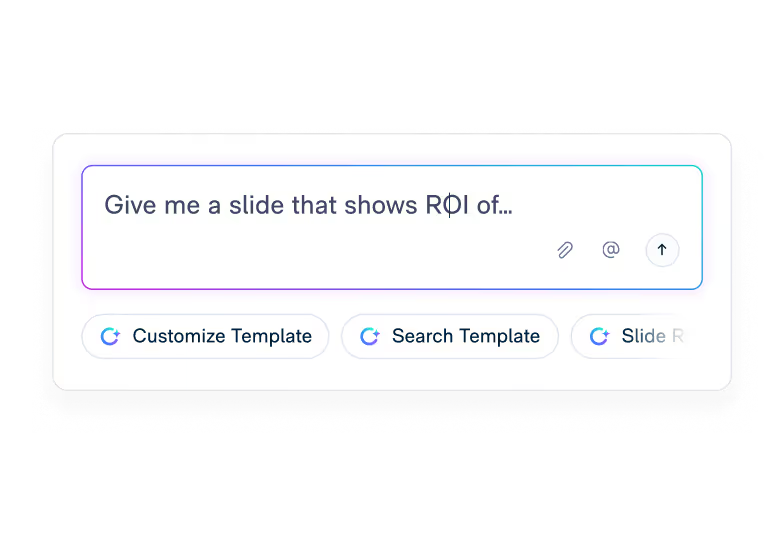
AI That Understands Your Intent
Understands your intent and surfaces the right content to fit the job at hand
Effortless Data Storytelling
Make data storytelling easy for everyone by generating insights, talk tracks, and executive summaries
Connect to Data—Without Friction
Quickly and easily connect to a variety of sources, regardless of data fluency
Clear and Explainable Data
Explains where data comes from and how it is calculated
Learn more about how Matik uses AI to support data storytelling across teams.
"It was simple for our end-users with minimal training needed.”
James Miller
Customer Success Manager at Bazaarvoice
“A non-technical person like myself was able to leverage Matik’s out-of-the-box data source integration to build out a 50-slide deck with a lot of data.”
Wyatt Farino
Client Success Operations Manager Modern Health
"Matik is one of my favorite tools I’ve rolled out, and it’s also one of the easiest tools I’ve ever seen adopted. End users instantly understand why they should use it."
“It’s very easy to create content. There’s a very low entry point in terms of the knowledge that you need to have, especially with the out-of-the-box integrations with data warehouses, BI tools and CRMs.”
You will be paired with a dedicated Account Manager to guide implementation and share best practices. You also have access to in-app support, a robust Help Center, and an AI assistant that can answer questions, walk through steps, and help teams find what they need as they get started.
Is Matik difficult for my team to learn?
For most teams, getting started is straightforward. They select how they want the content personalized, such as at the person, team, or account level, and click generate. They will receive a fully editable file that can be updated with a single click as data changes.
Can Matik help if we have complex, variable data needs?
Yes, Matik scales to support multiple use cases and variations. Our Smart Automation uses if-then logic to ensure the right insights are shared based on the specific data and audience.
Does Matik require engineering resources to set up?
No, Matik rarely requires Engineering sources to set up. Most users are able to connect their data with just a few clicks if they have the proper authorization.
Matik’s AI can
Build new content
Surface the right content
Derive key insights
Help others understand the data
Help others communicate with data
See What Implementation Looks Like for Your Team
Request a demo to walk through your setup, integrations, and timeline.